zzr.kr short
한국어

One link,
results by channel

See whether clicks came from Instagram, YouTube or a chat app. Shorten long URLs and change where they point later.

1

A different link for each channel

Make separate links for Instagram and your chat groups, even for the same product, and see where people respond.

2

Change the destination, keep the link

Links and QR codes you already shared stay the same — only the destination changes. New destinations are safety-checked too.

3

Your own code

Pick an easy-to-remember code like zzr.kr/sale-01. Turn off links you no longer need.

Start for free. Sign in with your Google or Kakao account.

New features

Post, split, compare

Share one sales link across channels and check how often each was clicked, day by day.

NEW

Campaigns — a link for every channel

Turn one product URL into YouTube, Instagram, KakaoTalk, Threads, Reddit, blog, X and Telegram links in a single step.

  • Compare clicks by channel on one screen
  • Campaign dates · optional UTM tags
  • Download as CSV
NEW

Daily click report

Pick a date to see which links were clicked and how often, ranked.

  • Clicks by hour
  • Top source for each link
  • Step day by day with ◀ ▶

Detailed stats per link

Break clicks down by source, in-app browsers (KakaoTalk, Instagram), OS and device.

  • Today · 7 days · 30 days · all time
  • Last 50 visits
  • Bot clicks excluded by default

Link preview

Add + to the end of a short link (zzr.kr/code+) to see the destination before you go.

  • Peace of mind for recipients
  • Report suspicious links right away
  • Previews are not counted as clicks

QR codes

Download a QR for every link as PNG or SVG. The QR keeps working even if you change the destination.

  • Flyers, packaging, in-store signs
  • SVG for print
  • Offline scans are counted too

API

Create short links from your own service or automation tools with an API key.

  • Key shown only once when created
  • Same URL reuses the existing link
  • Same safety checks as the web
Daily click report

See which links were clicked
yesterday at a glance

Pick a date on the dashboard to see the links clicked that day, most-clicked first. Clicks by hour and sources (Instagram, KakaoTalk, Naver and more) are shown alongside.

  • Look up any date (◀ ▶ moves a day)
  • Rankings by link and campaign channel
  • Bots like search engines and link-preview crawlers are excluded by default
Example
Mon, Nov 9128 clicks
  1. 1Winter knit saleInstagram · mostly Instagram (in-app)64
  2. 2Winter knit saleKakaoTalk · mostly KakaoTalk (in-app)41
  3. 3Review video descriptionYouTube · mostly YouTube23
How it works

Three steps

  1. 1

    Paste a product URL

    Create a campaign and enter the URL you want to promote. It is safety-checked automatically.

  2. 2

    Pick channels

    Choose where you'll post — Instagram, YouTube, chat apps, blogs and more — and get a short link and QR for each.

  3. 3

    Compare results

    Compare clicks by channel and by day, then focus your next campaign where people respond.

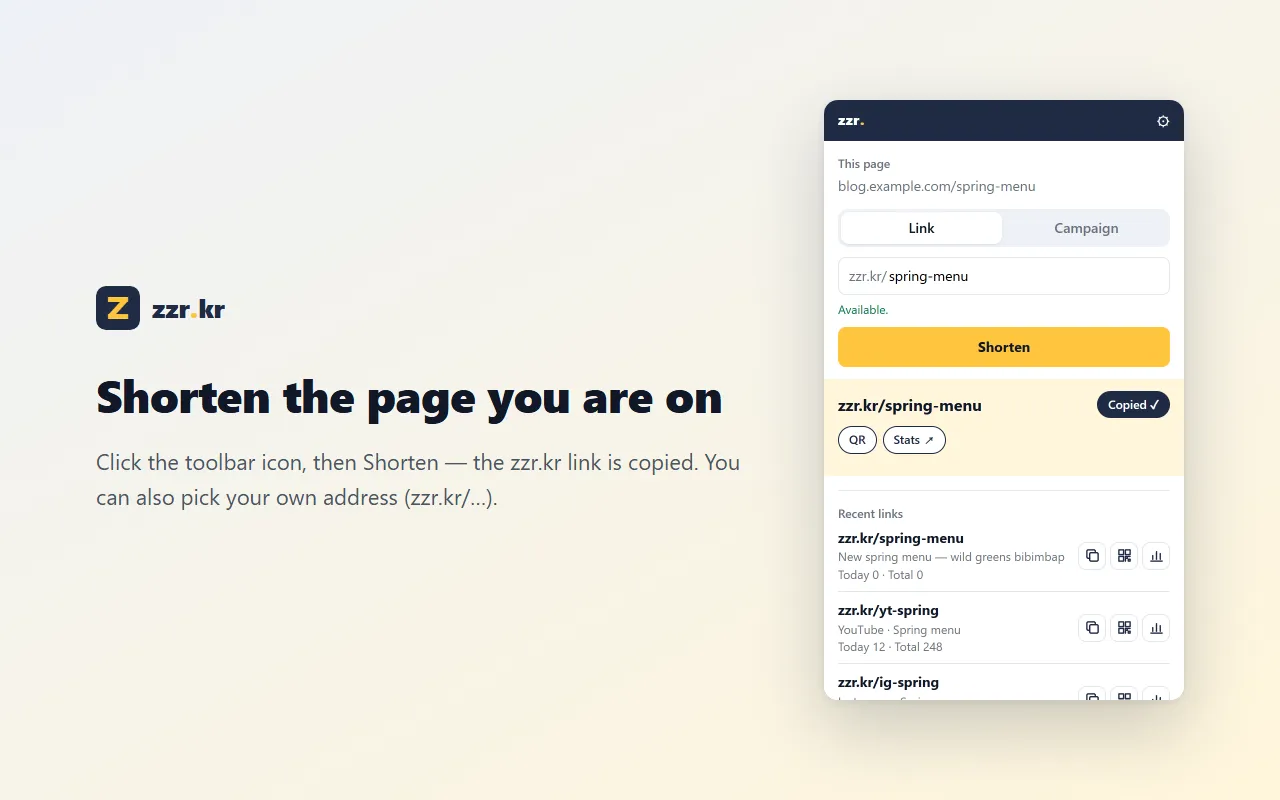
NEW · Chrome extension

Shorten the page you are on
in one click

Click the toolbar icon and the short link is copied. Right-click menu, campaign links and recent clicks — with the same account as the web.

zzr.kr Chrome extension popup